Drum Pad
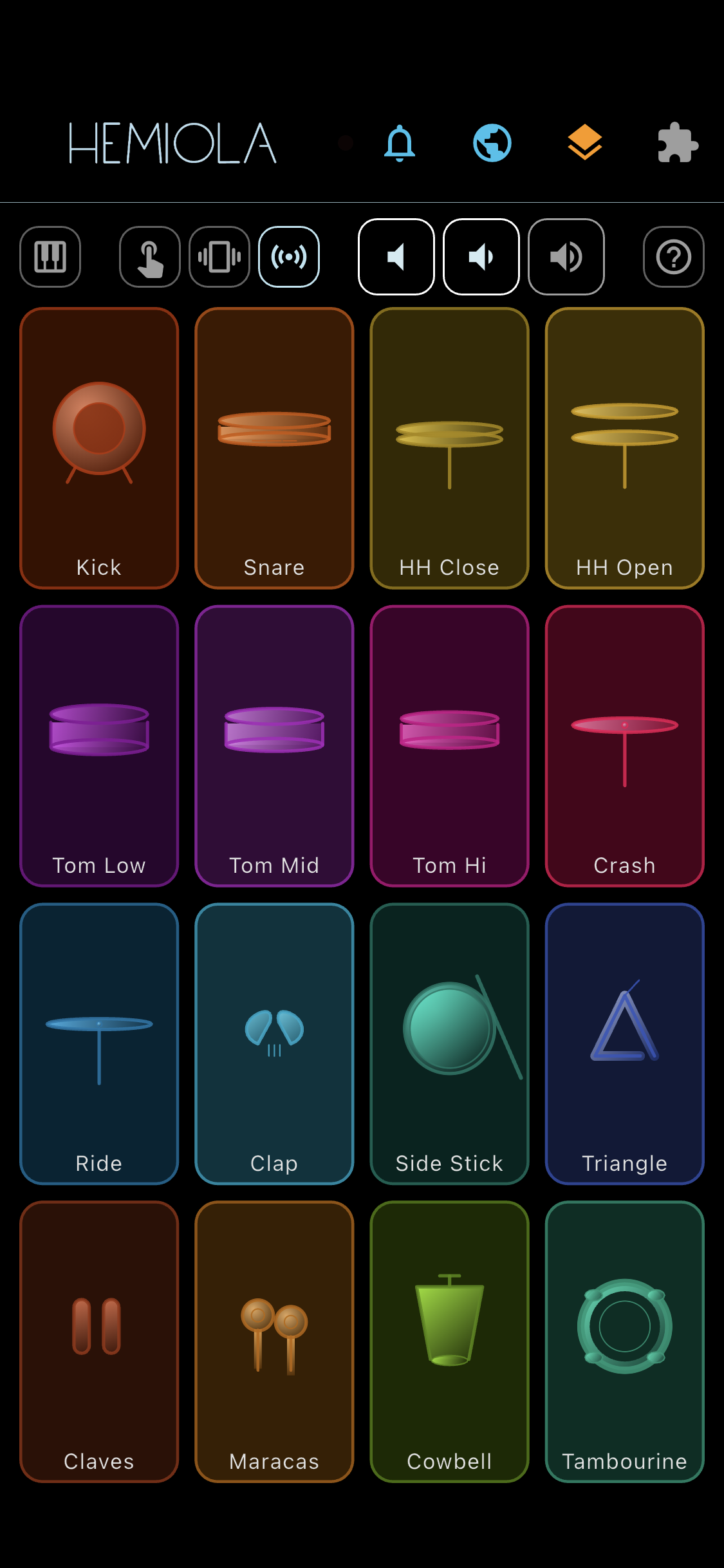
The Drum Pad is a 4×4 grid of 16 velocity-sensitive pads that send MIDI notes on channel 10 (GM Percussion). It is available as an alternative to the Piano Keyboard and uses only the SoundFont engine.
Note
A SoundFont file must be loaded and active. The selected SoundFont must be General MIDI (GM) compatible — it needs a standard GM Percussion bank on channel 10 to produce drum sounds.
How To Use
- Tap a pad to trigger the corresponding drum sound. Multi-touch is supported: you can hit multiple pads simultaneously.
- Each pad has a unique color. When touched, the pad color brightens to give immediate visual feedback.
Toolbar Controls
- Piano icon (top-left): exit Drum Pad mode and return to the Piano Keyboard.
- Touch Sensitivity (mobile only): enable or disable touch pressure (velocity) sensitivity. Experimental — may not work on all devices.
- Haptic Feedback (mobile only): enable or disable vibration on pad hit. Experimental — may not work on all devices.
- Shake To Play (mobile only): assign a drum pad to the shake gesture. Experimental — may not work on all devices. Tap the icon to enter assignment mode — a message appears asking you to tap a pad. Once assigned, each shake sounds that pad with velocity-sensitive dynamics (monophonic: previous note stops before the new one plays). Tap the icon again to cancel. The icon turns amber while waiting for a pad selection, and accent color when a pad is assigned. Long-press the icon to open Shake Settings: adjust sensitivity (lower = more sensitive), enable Wrist Rejection to automatically filter wrist rebounds, and control velocity sensitivity (higher = wider dynamic range).
- Mute / Volume Down / Volume Up: control the master output volume.
- Help icon (top-right): open this help section.
Note
Windows Tablets: for best playability, disable the system option "Three- and four-finger touch movement" in Windows settings to avoid gesture conflicts while playing.