
Settings
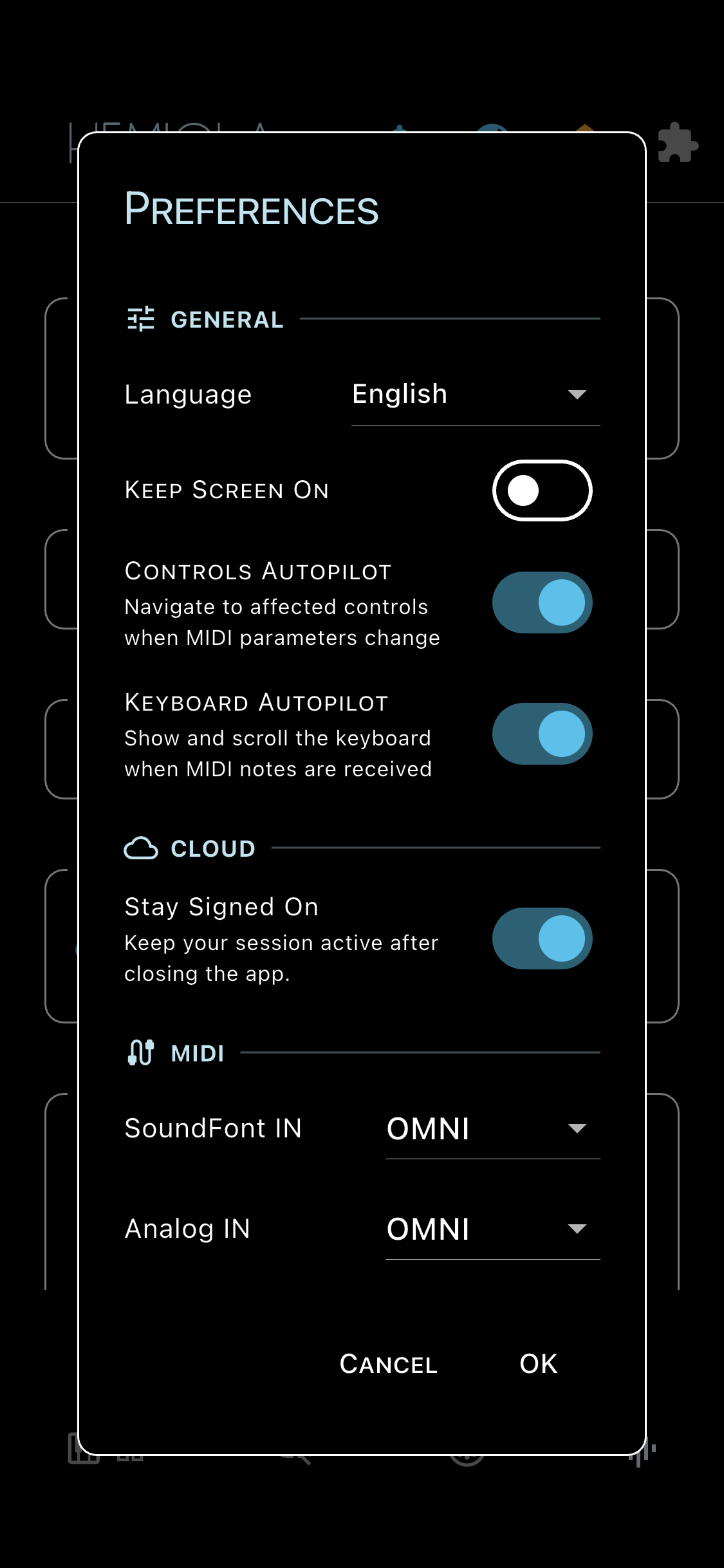
The Preferences dialog is accessible from the Home screen (tap Hemiola logo → Preferences). It contains app-wide settings organized in sections.
General
- Language: choose the app language. The system language is used by default.
- Keep Screen On: prevents the device screen from dimming while the app is in use (mobile only).
- Controls Autopilot: automatically navigate to affected controls when MIDI parameters change via built-in mappings.
- Keyboard Autopilot: show and scroll the keyboard when MIDI notes are received.
Cloud
- Stay Signed On: when enabled, the app keeps you logged in across sessions.
General MIDI Prefs
- SF Channel: MIDI channel for the SoundFont synth (default: OMNI).
- Analog Channel: MIDI channel for the Analog synth (default: OMNI).
- MIDI Thru: forward incoming MIDI messages to connected output devices.
- Pitch Bend Range: sensitivity of incoming pitch bend in semitones.
Factory Reset
Erases all saved preferences, presets, and cloud device registration. The app closes and restarts fresh on the next launch.
Note
Factory Reset cannot be undone. Your cloud account and published presets are not affected — only the local data on this device is erased.