
Configuration Tool
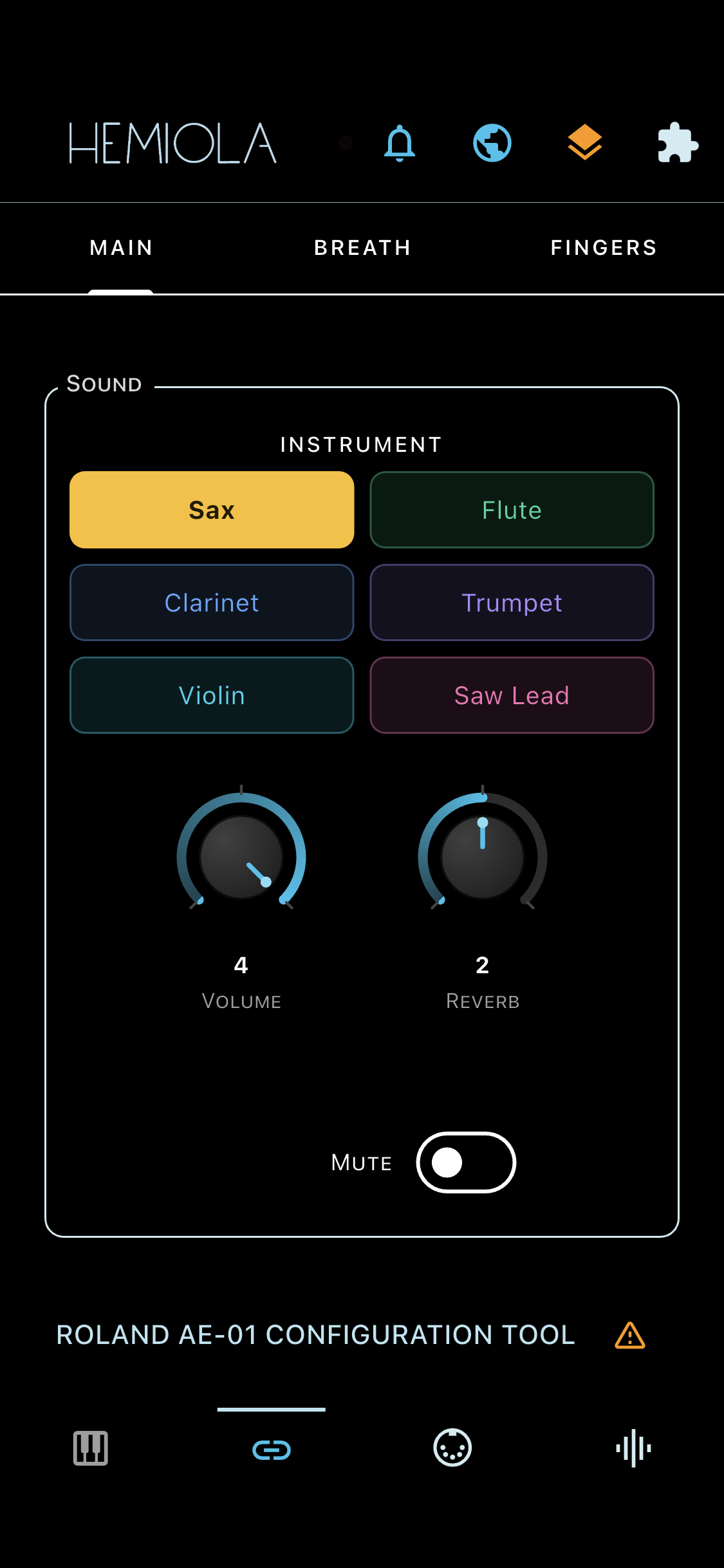
The Configuration Tool tab displays a native UI for the connected MIDI device. Connect a supported device and tap the Config tab to configure it.
How it works
- Each supported device has its own plugin that renders directly inside Hemiola.
- All parameter changes are sent to the device in real time.
- Use the Preset icon in the top bar to save and recall your device's configuration. The icon is accent-coloured when clean and orange when there are unsaved changes.
- When a plugin is active, an orange warning icon appears next to the bottom Configuration Tool title. Tap it to view the manufacturer disclaimer.
If no device is connected, the tab shows a "No supported device connected" placeholder. When a device is active, a device-specific help section appears at the bottom of this help screen.
Multiple Devices
When two or more supported devices are connected simultaneously, a device-switcher button appears next to the preset icon in the top bar.
- Tap the Config tab icon again (while it is already active) to open the device-switcher menu and select which device to configure
- The menu shows all currently recognised devices; the active one is highlighted
- Each device keeps its own independent preset list
Supported Devices
- Tahorng Windkey — melodica-style digital wind instrument
- Akai EWI USB — digital wind controller
- Roland AE-01 Aerophone — digital wind instrument
- ClariiMini — digital wind instrument
- Moog Theremini — digital theremin
Open Source
Device plugins are open source. You can propose new devices, report issues, or contribute plugins on GitHub: https://github.com/MrMep/hemiola-device-plugins
Help pages are also open source. You can suggest improvements or contribute translations on GitHub: https://github.com/MrMep/hemiola-help